Shopify · August 23, 2026 · 11 min read
Best Shopify Themes for Grocery & Food Delivery
Compare Local, Groxery, and Loka for pack sizes, dietary facts, availability, pickup, delivery constraints, and repeat grocery orders.
By Polo Themes
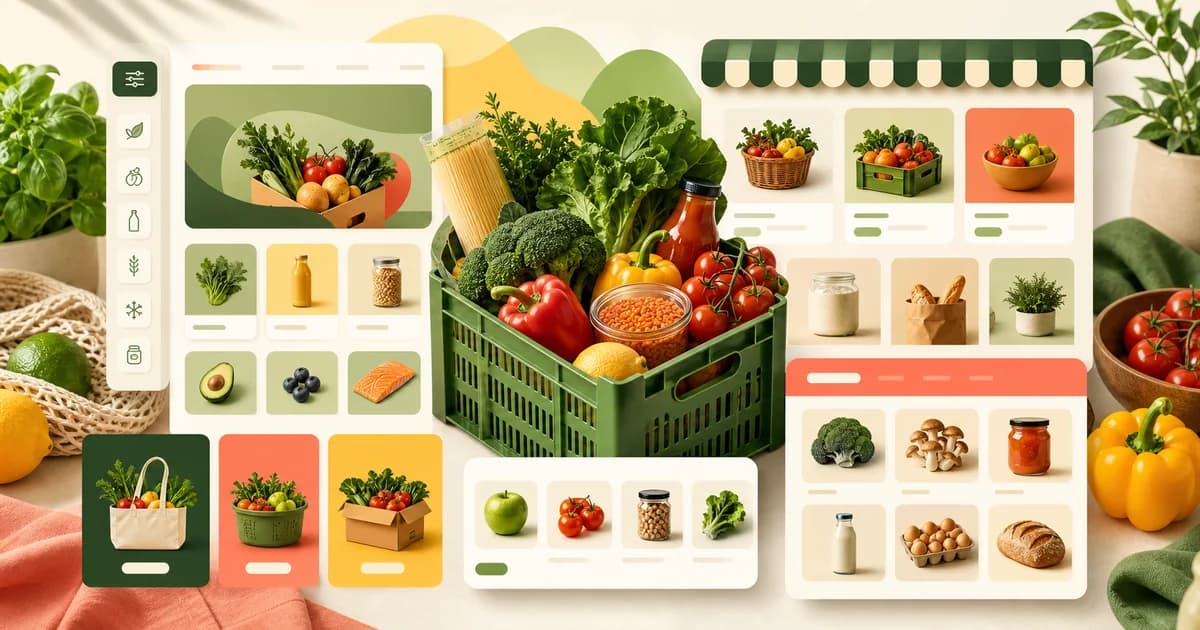
Local ranks first for food, beverage, and local retail operations, Groxery ranks second as Polo’s verified direct grocery theme, and Loka ranks third as another current food-and-supermarket candidate. This editorial ranking weighs rapid list building, department navigation, sell-unit clarity, ingredients and dietary information, availability, local fulfillment communication, mixed-basket accuracy, and operator maintenance. It does not treat vendor speed, SEO, or sales language as independent proof.
Start with the full niche scorecard, inspect Groxery’s product page, and read the bakery comparison when pickup dates and made-to-order products change the journey. The coffee-and-tea comparison sharpens replenishment tests, while the grocery launch guide covers delivery zones, perishability, and substitution operations.
What makes grocery theme fit different?
Grocery fit depends on exact sell units, pack counts, quantities, ingredients, allergens, storage, availability, location, and fulfillment. US FDA — Nutrition, Food Labeling, and Critical Foods provides the federal food-labeling context behind those product facts. Local, Groxery, and Loka are presentation starting points; substitutions, routing, picking, and cold-chain handling need separate proof.
A grocery shopper may add ten or twenty unrelated items, so small interpretation costs repeat. Cards must distinguish product identity, pack count, net content, variant size, customer-selected quantity, and availability before the cart. Departments should mirror shopping-list language. Ingredients, allergens, storage, and dietary markers need predictable homes backed by maintained data. Delivery zone, pickup, substitutions, temperature handling, age restrictions, and routing are operating systems and policies; a grocery visual theme does not create them.
- 1. Local — best for food plus physical-location workflows. Its official listing is explicitly for food, beverage, and local retail and lists in-store pickup, quick buy, product options, ingredient or nutritional information, enhanced search, filtering, and a mega menu. Those surfaces are relevant, but delivery slots, picking, routing, and cold-chain operations still require separate proof.
- 2. Groxery — best direct Polo grocery match. Polo’s seed verifies a grocery-focused, fully responsive Shopify OS 2.0 theme with an advanced mega menu, custom navigation, branding, documentation, lightboxes, and no jQuery dependency. The seed does not claim substitution management, local delivery, pickup scheduling, inventory routing, or food-safety controls.
- 3. Loka — best alternate supermarket presentation. Its official listing identifies food, drink, supermarket, grocery, bakery, and organic uses. Treat that positioning as a reason to preview it, then verify its actual product, department, information, and cart states with the same sample data used for Local and Groxery.
Which grocery operation fits each candidate?
Local fits food retail anchored to physical locations and pickup, Groxery a straightforward grocery catalog, and Loka another food-first preview. Shopify Theme Store — Local documents store-locator and in-store-pickup features. The winner must preserve exact sell units and make only the fulfillment promises that connected inventory and operations can honor.
Choose Local when food merchandising and one or more physical locations make pickup and local retail presentation central. Choose Groxery when a straightforward grocery catalog and direct Polo product route are the priority, especially if the team values its verified responsive, customizable base. Choose Loka as a third food-first preview when supermarket or bakery presentation fits the assortment. None should pass if the real fulfillment service cannot enforce the promises shown in theme copy.
What should a worked ten-item grocery basket test?
Build a phone basket spanning loose produce, multipacks, near-identical sizes, chilled and frozen goods, dietary facts, low stock, substitutions, and local-only products. Shopify Help Center — Variants confirms that option combinations represent distinct product versions. Search, quick add, product detail, cart, order, and picker output must agree on item, sell unit, quantity, availability, and method.
Build a sample list with loose produce sold by a defined unit, a six-can drink pack, two similar rice package sizes, a chilled dairy item, a frozen item, a pantry staple with ingredients, a product with a maintained dietary marker, a low-stock household item, an unavailable substitute, and a bulky local-only good. A shopper must tell whether “six” means six cans, six packs, or six clicks of the quantity control. Search, department browsing, quick add, product detail, and cart must all preserve the sold unit.
Run the list on a phone. In Local, test pickup and local-store presentation while treating scheduling and zone enforcement as separate integrations. In Groxery, test the mega menu, collection cards, and mixed cart with exact pack information. In Loka, verify that its food-first presentation remains clear with chilled, frozen, and local-only exceptions. Then inspect the picker’s order view: every variant, unit, quantity, customer note, and fulfillment choice must match what the buyer saw.
Grocery and food-delivery failure modes
- Pack-size deception by omission: photography suggests one amount while the title, option, and cart never state the sold unit.
- Promotion overload: badges and discounts displace product identity, dietary facts, availability, or quantity controls on narrow screens.
- Substitution fiction: the storefront promises preferences or replacements that pickers cannot see, follow, or audit.
- Cold-chain mismatch: shelf-stable, chilled, frozen, and local-only goods share a delivery promise that ignores handling differences.
- Location surprise: shoppers build a basket before learning that the address, store, time, or product is ineligible.
- Dietary overclaim: filters or badges imply an attribute that is missing, outdated, or unsupported by the maintained product record.
How should you implement and test a mixed grocery basket?
Standardize sell-unit fields, maintain departments and synonyms, map fulfillment classes, and rehearse a mobile list. Shopify Help Center — Delivery methods distinguishes shipping, local delivery, and pickup configuration. Test ineligible locations, unavailable stock, rejected substitutions, temperature exceptions, partial fulfillment, refunds, and support; the picker must receive exactly what the shopper selected.
- Standardize sell units. Separate net content, pack count, variant size, and selected quantity in source data and render them consistently on card, page, cart, and order.
- Build durable departments. Use customer list language, synonyms, and filters that the team can maintain; test search for common and supplier-specific terms.
- Map fulfillment classes. Identify location, timing, temperature, age, pickup, and delivery constraints and decide exactly when each becomes known to the shopper.
- Rehearse list building. Give an unfamiliar tester ten items across departments and observe search, backtracking, unavailable products, quantity edits, product-detail visits, and cart review.
- Test operational handoff. Confirm the picker sees the exact item, variant, sell unit, quantity, substitution instruction, location, and method that appeared to the customer.
- Exercise exceptions. Use an ineligible address, closed pickup window, unavailable item, partial stock, rejected substitution, chilled item, refund, and support correction before launch.
When should Groxery or Loka outrank Local?
Groxery should lead when direct grocery structure makes departments, units, and repeat baskets maintainable without needless location emphasis. Polo Themes — Groxery E-Commerce Shopify Theme documents its grocery focus and configurable storefront base. Loka can lead for a better food-first fit; Local remains first only when location and pickup improve the tested operation.
Local leads when a food merchant’s storefront is closely tied to physical locations and pickup presentation. Groxery should move ahead for a straightforward grocery assortment when its direct Polo structure, navigation, and editable base make departments and mixed baskets easier to maintain without location-led complexity. Loka should move ahead when its supermarket or bakery-oriented presentation better matches the actual catalog and still passes the same unit and fulfillment tests. The ranking should reverse because of the operating model, not because one demo uses fresher photography. Record whether the business is primarily a location, a delivery catalog, a pickup counter, or a shipped specialty range.
Challenge each candidate with three journeys. A returning shopper rebuilds a weekly pantry list; a pickup customer needs a location-bound chilled item; and a shipped-order customer combines shelf-stable products with one local-only good. Local must show that its location emphasis helps rather than interrupts the repeat list. Groxery must keep units and method constraints clear even though delivery tooling is separate. Loka must distinguish supermarket-scale browsing from bakery lead-time content. A candidate loses when it advertises an action that the connected inventory and fulfillment systems cannot honor.
How do you recover from stock, substitution, and location conflicts?
Preserve the unavailable sell unit and re-check location eligibility before offering a replacement. Setting up pickup in store for online orders — Shopify Help Center says pickup normally requires the entire order at one location unless store transfers are configured. That fact makes inventory transfer rules, approved substitutions, and customer consent explicit recovery gates.
Stage a basket in which the selected six-can pack becomes unavailable but individual cans and a different pack remain in stock. The storefront must not replace the item automatically or reuse the original quantity as though the sell units were equivalent. Preserve the unavailable line, identify the exact requested pack, present only merchant-approved choices, and carry the shopper’s decision into the picker view. If no substitution workflow is connected, say so through the merchant’s policy rather than rendering a preference control that operations never receives.
Next change the fulfillment address after the basket contains chilled and local-only goods. Re-evaluate eligibility while preserving unaffected shelf-stable lines. Explain which items conflict with the chosen method and let the shopper remove them, select an actually available location or method, or seek support. A generic checkout error is insufficient, but an invented delivery promise is worse. After recovery, confirm that totals, quantities, notes, temperature classes, and fulfillment method agree in the order and picker record.
Which acceptance gates should a grocery launch pass?
A publishable journey keeps sell units exact, supports mobile list repair, scopes eligibility to affected lines, carries substitutions into picking, and refreshes changing facts. US FDA — Food Allergies explains that major allergens must be identified on packaged-food labels. The gates therefore cover pack identity, fulfillment, operator handoff, ingredients, dietary facts, stock, and promotions.
- Sell-unit gate: product identity, pack count, net content, variant size, customer quantity, and price remain distinguishable from card through picking.
- List gate: a new mobile tester can complete the representative basket through search and departments, recover from an unavailable line, and review every unit in the cart.
- Eligibility gate: address, location, timing, temperature, age, pickup, and delivery constraints block or reroute only the affected items at a defined point.
- Substitution gate: requested, accepted, rejected, and unsupported substitution states reach the operator exactly as the customer saw them.
- Freshness gate: ingredients, dietary markers, storage, stock, and promotion changes propagate from their accountable sources without leaving stale card or cart claims.
Who should connect storefront content to daily grocery operations?
Name owners for identity, sell units, dietary data, availability, promotions, departments, fulfillment, substitutions, picking, and support. Setting up pickup in store for online orders — Shopify Help Center requires pickup configuration at each participating location. Define each fact’s propagation path so daily corrections reach cards, carts, orders, locations, and operators rather than only marketing copy.
Assign owners for product identity, sell units, dietary data, availability, promotions, departments, fulfillment classes, substitution rules, and customer support. Grocery facts change frequently, so define which system is authoritative and how quickly a corrected pack size or unavailable item reaches cards, cart, picking, and support. Local may organize location-led retail well, Groxery may provide the clean direct grocery base, and Loka may fit a food-first presentation, but none can reconcile a stale inventory feed or teach a picker a promise that exists only in marketing copy.
Create an acceptance record with the theme version, sample basket, departments, locations, fulfillment methods, tested devices, connected services, exception orders, and rollback draft. Re-run the ten-item basket after changing search synonyms, product-card settings, quick add, location logic, delivery configuration, or the picking integration. Track discrepancies by owning source: wrong sell unit, missing dietary field, stale stock, lost note, or invalid method. Correct the source and repeat the handoff. That feedback loop is the real test of a grocery theme’s maintainability.
Repeat the check with a returning shopper whose saved route or reordered item is no longer eligible, available, or sold in the same pack.
Key Takeaways
- Choose Local for location-led food retail, Groxery for a direct grocery base, or Loka for another food-first presentation.
- Keep pack count, net content, variant size, customer quantity, and price visibly distinct.
- Treat delivery zones, slots, substitutions, routing, picking, and temperature handling as operational dependencies.
- Test a realistic mixed basket plus unavailable, ineligible, and changed-pack recovery on mobile.
- Propagate changing stock, ingredient, allergen, dietary, and promotion facts from accountable sources to operators.
Conclusion
Local leads when food retail and physical-location presentation are central. Groxery is the honest direct Polo candidate and may be the better fit for a straightforward grocery catalog that wants its verified responsive, customizable structure. Loka completes the shortlist as another food-first option. Choose only after a real mixed basket preserves units, ingredients, availability, fulfillment conditions, and picker instructions from first search through order recovery.
Frequently asked questions
Does Groxery manage delivery slots or substitutions?
Those workflows are not in the seed claim. The theme can present the storefront; the merchant must configure and test the services and operating procedures that make delivery and substitutions real.
When should Local rank first?
Local is the strongest first preview when food or beverage sales connect closely to physical locations, pickup, and local retail presentation. Still test the exact scheduling, eligibility, and fulfillment systems separately.
What should a grocery product card show?
Show exact product identity, meaningful pack or net quantity, variant context, availability, price, and a clear action. Add dietary markers only from maintained evidence.
Should every grocery item support quick add?
No. Quick add works when the sell unit and valid choice are already clear. Route shoppers to the product page when size, preparation, restrictions, or fulfillment context must be understood first.
How should a grocery store handle a changed pack size?
Treat it as a changed sell unit, not a cosmetic image update. Correct the product identity, pack count, net content, price context, card, product page, cart label, picker record, and reorder route. Do not carry a saved quantity across as though the old and new packs were equivalent. If both packs remain in stock, keep them distinguishable; if the old pack is gone, ask the returning shopper to confirm the new choice.
Recheck promotions and substitution rules as well. A discount or approved replacement defined for the former pack should not transfer automatically when the quantity, contents, storage condition, or fulfillment class has changed.
The picker and support views should retain the former pack identity for historical orders even after the new pack becomes the only storefront option.