Shopify · August 23, 2026 · 9 min read
Best Shopify Themes for Gadgets & Accessories
Rank Electronix, Warehouse, and Enterprise for gadget models, connectors, compatibility, regional variants, bundles, and exact cart lines.
By Polo Themes
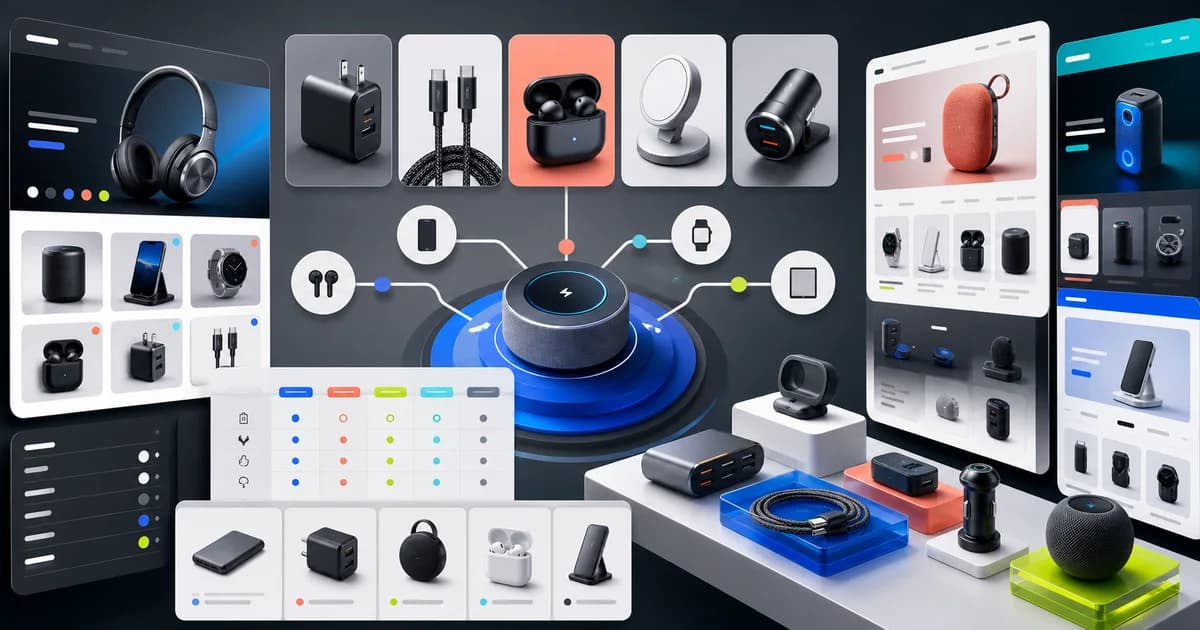
For gadgets and accessories, rank the candidates 1. Electronix by Polo Themes, the closest and direct Polo fit; 2. Warehouse on the official Shopify Theme Store; and 3. Enterprise on the official Theme Store. Electronix leads because Polo seeds its Ajax cart, configurable sections, and mega menu for specification-heavy electronics catalogs. Warehouse is the tech-merchandising and large-catalog alternative, while Enterprise is the high-volume discovery control. None supplies a compatibility database, configuration engine, electrical certification, firmware policy, bundle validator, warranty system, or performance benchmark.
Start with the all-niche theme guide’s common test, use the electronics-store launch guide to model compatibility and warranty custody, inspect the Shopify theme catalog for current technical-store alternatives, and consult the pricing page before adding search, comparison, or support dependencies.
Which themes best handle gadgets and accessories?
Start with Electronix, use Warehouse to challenge technical catalog density, and let Enterprise test device-first discovery at scale. Polo Themes identifies specification-heavy electronics catalogs in Electronix E-commerce Shopify Theme | Polo Themes, supporting the direct fit; deliberate compatibility near misses, rather than browsing speed alone, should choose the winner.
1. Electronix — direct Polo fit
Electronix is the most honest first choice because its seed directly addresses electronics catalogs, specifications, accessory discovery, and broad navigation. Test the Ajax cart carefully: asynchronous convenience is valuable only when exact model, generation, connector, length, region, color, and quantity appear after every change. The seed explicitly leaves compatibility finders and warranty systems outside the theme. Build those relationships from authoritative data, and never transform the Electronix name into a claim that a bundle or accessory has been technically validated.
2. Warehouse — technical catalog alternative
Warehouse ranks second because its official listing emphasizes large catalogs and bold tech merchandising, including search, filters, product tabs, options, videos, and usage information. It is a strong control for hundreds of model-specific parts. Test whether long compatibility labels remain legible and whether product recommendations can be fed by explicit supported relationships. Warehouse does not know that a connector fits physically but fails a power or data requirement; the merchant must model all relevant conditions rather than relying on a shared keyword.
3. Enterprise — rapid discovery control
Enterprise is third because its official Theme Store listing targets high-volume stores and provides broad navigation and discovery tools. It may win for shoppers who begin with an owned device and need a guided path through a dense accessory catalog. However, quick-order and recommendation patterns can magnify bad data. A generic model family is not enough when device generation, dimensions, port, protocol, region, operating-system support, or required adapter changes the answer. Every shortened card must still expose enough identity to avoid a near miss.
What should a gadget storefront preserve exactly?
Preserve supported models and exclusions, connector conditions, variant axes, normalized specifications, validated bundles, and revision history. Shopify says product details affect customer display and catalog organization in Product details, supporting maintained technical fields; shared branding or a matching port shape never establishes compatibility by itself.
- Explicit compatibility. Supported device models, generations, dimensions, connectors, protocols, power requirements, regions, and known exclusions should be maintained relationships.
- Variant precision. Connector ends, direction, length, capacity, region, color, and included adapters need separate comprehensible values that persist into the order.
- Specification comparability. Normalize labels and units without inventing absent values or collapsing unlike measurements into one table row.
- Bundle validation. Every component must be compatible with the stated use and with other components; popularity or co-purchase is insufficient.
- Revision and support traceability. Product revision, media, documents, warranty wording, compatibility data, and support view must identify what was actually sold.
Make compatibility and variant precision rejection gates. Weight normalized comparisons and traceability next. Visual merchandising can help explain a setup, but it cannot average away an incompatible charger or case. Establish an authoritative relationship source and update owner before choosing a finder or recommendation layout. If one surface is generated from model data and another is hand-written, they will diverge; include both directions and every dependent page in the release regression matrix.
How should gadget compatibility near misses be tested?
Build adjacent device generations, multiple cable directions and lengths, regional charger versions, a dimension-sensitive mount, and one plausible unsupported adapter. Product variants — Shopify Help Center explains that option combinations create distinct product versions. Test both compatibility directions, then follow exact identifiers through the asynchronous cart, confirmation, packing, returns, and support.
Load cases for two adjacent phone generations, a cable in two lengths and several connector combinations, a charger with regional and power-related variants, and a mount whose supported surface or dimensions matter. Add one adapter that looks compatible but lacks a required condition. Ask testers to start from a device, select the valid case, build the cable configuration, choose the correct charger variant, and explain why the adapter is rejected. Search results must reveal exact supported families rather than truncate after a generic product name.
Repeat in reverse: start from each accessory and locate its supported devices or requirements. Change a device generation, revise a cable, remove an adapter from a bundle, and return from cart using browser history. Images, identifier, selected values, compatibility, availability, warnings, and order line must follow. Inspect packing and support views to ensure a vague campaign title never replaces the technical configuration. Test long model names, keyboard selection, zoom, and narrow screens because compatibility hidden behind clipped text is not usable.
Which gadget standards and market rules need review?
For the United States, review electrical, radio, battery, environmental, medical-device, privacy, import, warranty, and consumer requirements for each configuration. The Federal Communications Commission describes radiofrequency authorization paths in Equipment Authorization. Other markets use different conformity, labeling, registration, and surveillance systems, so identify their primary regulators before sale.
Electronics and accessories may be subject to different product-safety, radio, environmental, battery, labeling, warranty, privacy, accessibility, import, tax, and consumer-protection authorities depending on product and destination. In the United States, identify the relevant federal and state bodies for the exact device; the FDA also regulates medical devices when a gadget falls into that category. Other markets use their own conformity and market-surveillance systems. Verify the product, claims, certifications, and destinations with qualified specialists. A theme listing provides no compatibility, safety, certification, legal, or performance guarantee.
Which gadget-store failures should staging force?
Force brand-level matching, vague connector labels, incompatible popularity bundles, version erasure, stale asynchronous-cart state, and invented benchmarks. Product variants — Shopify Help Center describes option-value combinations; acceptance must prove that model, connector, direction, region, capacity, included adapter, and quantity follow the shopper into operational and support records.
- Brand-level matching: the store infers compatibility because two products share a manufacturer or family name.
- Connector shorthand: “USB,” “wireless,” “fast,” “magnetic,” or “universal” hides exact interfaces and requirements.
- Popularity bundle: frequently purchased items are grouped despite conflicting power, dimensions, connector, region, or mounting conditions.
- Version erasure: a revised product retains an old identifier, image, specification, document, or support article.
- Ajax residue: a variant changes on page while the cart receives a stale configuration from the prior asynchronous state.
- Benchmark invention: editorial copy adds unsupported speed, battery, range, durability, or comparison numbers.
What evidence supports a gadget-store release?
Release evidence should include authoritative compatibility records, normalized connector details, bidirectional near-miss search, exhaustive option switching, bundle rejection, and revision regression. Shopify identifies images, videos, and three-dimensional models in Product media; decisive proof remains one recoverable configuration across page, cart, confirmation, fulfillment, return, and technical support.
- Create compatibility records. Store supported and known-unsupported models or requirements with source, revision, owner, and review trigger.
- Normalize connector details. Separate each end, direction, mode, length, power conditions, region, and included adapter only where sourced.
- Run near-miss search. Find accessories for adjacent generations and require testers to explain why one result works and another does not.
- Exercise every option. Switch model, connector, length, color, capacity, and region; verify media, identifier, stock, warnings, cart, and confirmation.
- Audit bundles. Validate the complete set against real requirements, then include a known incompatible component to prove safe failure.
- Rehearse revision changes. Update a model and inspect finder, cards, comparisons, recommendations, saved carts, documents, fulfillment, and support.
Key Takeaways
- Electronix is the direct Polo fit; Warehouse and Enterprise test technical density and high-volume discovery.
- Compatibility must model exact devices, generations, connectors, protocols, power, dimensions, regions, and exclusions.
- Ajax carts, bundles, comparisons, and support articles must fail safely when products or relationships change.
- Popularity, shared branding, physical fit, and generic certification icons do not prove technical compatibility or market approval.
Make the ranking survive revisions and market changes
Record why each candidate wins the actual catalog task. Electronix should retain first place when its specification hierarchy and Ajax cart preserve exact options under rapid changes. Warehouse should move ahead when technicians and shoppers find parts more reliably in a dense catalog. Enterprise should lead only when device-first navigation reduces errors without shortening compatibility evidence. Score the same models, adjacent generations, unsupported accessories, and bundle exceptions in every preview. A faster path is a loss if fulfillment or support cannot recover the configuration the shopper believed was selected.
Market approval belongs to the exact device, accessory, configuration, claims, and destination. Electrical, radio, battery, environmental, medical-device, privacy, import, warranty, and consumer requirements can differ by product and jurisdiction. The accountable specialists should approve the identifiers, supplied items, conformity or certification wording where applicable, instructions, restrictions, service route, and market availability before launch. The theme must render that record without implying approval from a generic icon. Change region after selecting a charger or connected device and verify every dependent option and statement is revalidated.
Stage a revision incident while an Ajax cart, saved cart, comparison page, finder result, and support article hold the prior model. Withdraw one accessory relationship and revise a bundle component. Acceptance requires current shoppers to receive the current valid record, historical orders to retain the sold revision, and incompatible saved selections to stop with a precise explanation. The cart must never preserve an old connector or region merely because the visible product page changed asynchronously. Packing and support staff should retrieve the same identifiers without consulting campaign copy.
Test the failure on a narrow screen and with keyboard navigation, where truncated model names and hidden option updates are most dangerous. The shopper must be able to compare the decisive compatibility conditions, identify the rejected near miss, and correct only the affected line. Capture the finder input, selected variant, cart payload, confirmation, and support view as one acceptance record. Include a no-results state that explains which model or requirement was not matched and routes the question to technical support without recommending a merely similar accessory.
Conclusion
Electronix is the direct Polo match and the correct first preview for specification-heavy gadgets. Warehouse is the best official tech-catalog alternative, and Enterprise is the high-volume discovery control. Let deliberate near misses choose the winner. A store succeeds when a shopper, packer, and support agent can all recover the exact device relationship and configuration. Fast search and an Ajax cart are valuable only after the compatibility record is trustworthy and stale state fails safely. Store the near-miss matrix with the release record and rerun it when a device generation, product revision, finder rule, or cart implementation changes.
Frequently asked questions
Does Electronix include a compatibility finder?
No confirmed seed claim says it does; the seed explicitly treats compatibility finders as separate requirements. Select, integrate, and test one against authoritative data if needed.
Why compare Warehouse and Enterprise?
Both are current official candidates for broad catalogs. Warehouse is the stronger tech-merchandising control; Enterprise tests rapid high-volume discovery.
Can “customers also bought” create bundles?
It can suggest merchandising candidates, but every bundle still needs explicit technical validation. Co-purchase does not establish compatibility.
What should appear on a gadget cart line?
Show exact product and relevant model, connector, length, capacity, region, color, included adapter, and quantity in terms the fulfillment team also receives.