Business · August 23, 2026 · 7 min read
Shopify vs WooCommerce
Choose Shopify for a managed commerce operating model, or WooCommerce when WordPress ownership and extensibility are requirements your team can support.
By Polo Themes
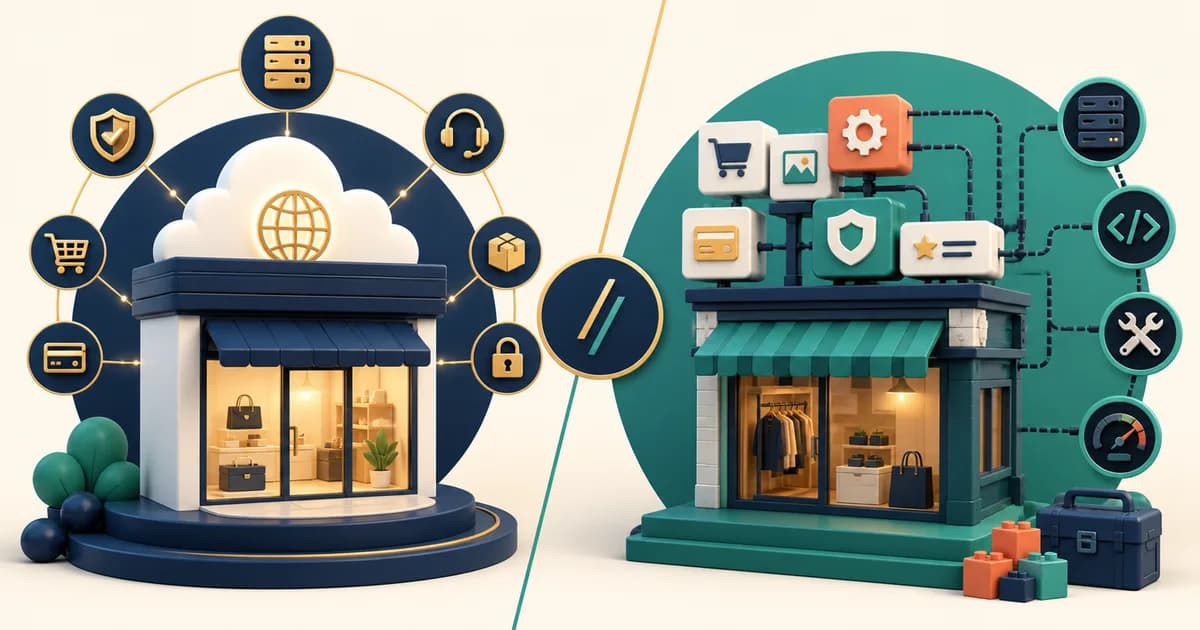
Verdict: choose Shopify when the business wants a managed, commerce-first operating boundary and the required customer journey fits Shopify’s administration, themes, and integrations. Choose WooCommerce when WordPress is strategically central and the team is deliberately prepared to own hosting, updates, plugin compatibility, security, performance, and recovery. Neither choice is a statement about which platform is more serious. It is a decision about where responsibility should live.
The comparison is frequently reduced to “hosted versus open source.” That is directionally useful but not enough to buy, build, or migrate safely. A store is a set of daily jobs: publish products, change prices, handle exceptions, reconcile orders, investigate a payment issue, keep integrations working, and recover from a failed change. Shopify packages much of that operating surface into one managed product. WooCommerce is an open-source commerce plugin built for WordPress, giving the business more composability while distributing the operating work across WordPress, hosting, themes, plugins, developers, and service providers.
Start with the operating model, not the feature grid
Shopify is usually the clearer fit for a merchant who wants the team’s attention on catalog, merchandising, orders, campaigns, and customer service. Shopify’s own documentation describes the Online Store as the place to create pages, publish a blog, sell products, use themes, and add navigation, while the theme system provides templates, sections, and blocks. That does not make every store simple; it means the business has a defined administration surface and a vendor-managed platform boundary for the core service.
WooCommerce is usually the clearer fit when the site already depends on WordPress as more than a blog. A publisher with custom editorial workflows, memberships, a bespoke content model, or a development team that already governs WordPress may reasonably want commerce inside that environment. WooCommerce’s official documentation positions it as a customizable, open-source commerce platform built on WordPress. The benefit is not “unlimited features.” The benefit is being able to make and maintain choices at the WordPress layer when that ownership produces material value.
What each option asks of your team
With Shopify, the critical question is whether the required experience can be configured or extended without creating an unmaintainable collection of theme edits and apps. Test the actual catalog, product templates, subscriptions or B2B rules where relevant, search and filtering, payment flow, fulfillment handoff, tax configuration, and reporting needs. A theme changes storefront presentation; it does not automatically solve operational design. Shopify documents that theme capabilities vary, so a demo must be tested with representative products and not only admired with a clean sample catalog.
With WooCommerce, the critical question is whether the organization can own the full chain over time. WordPress explicitly advises keeping plugins current and maintaining current backups before updates, because plugins are additional software with different quality and compatibility histories. Automatic updates can reduce repetitive work, but they do not remove the need to know what changed, test high-risk updates, retain recoverable backups, and investigate conflict or performance regressions. Include that work in the platform decision rather than assigning it silently to “the website.”
Decision criteria that reveal the real fit
- Content architecture: Does commerce need to live inside an existing WordPress publishing and permissions model, or can content be managed comfortably alongside a Shopify store?
- Commerce exceptions: Build the hardest product, promotion, fulfillment, return, and support journey in each finalist before awarding points for an advertised capability.
- Change ownership: Name the person who approves theme, plugin, app, and integration changes; “we can find a freelancer” is not an operating model.
- Security and recovery: Compare the concrete backup, update, access-control, incident, and rollback procedures your own team will follow.
- Integration boundaries: Verify the exact ERP, accounting, email, search, tax, warehouse, and analytics paths, including what happens when one is unavailable.
- Data portability: Export a representative product, customer, order, content, and media set, then confirm that the destination can use it without losing business-critical context.
Total cost is a multi-year operating cost
Do not compare a Shopify plan label with a hosting invoice and declare a winner. Build a three-year model at the same scope. For each option, include platform or hosting fees, payment and transaction terms that apply to the business, theme or design work, apps or extensions, custom development, accessibility and performance remediation, integration setup, monitoring, backups, incident response, support time, training, and the cost of delayed work. Use current vendor terms at the time of procurement; fees, plans, eligibility, and payment conditions change, so published price snapshots age badly.
WooCommerce can be economical when existing WordPress capability, hosting, and development governance are already paid for and genuinely reusable. It can become expensive when a lean merchant repeatedly buys small fixes, emergency support, and compatibility work without an owner. Shopify can make costs more legible for a small commerce team, but applications, customizations, specialist services, and commercial terms still deserve a full model. The honest answer is a range with assumptions, not a promise that either route is always cheaper.
Choose the content-to-checkout boundary deliberately
The sharpest difference may appear before a shopper reaches the cart. In a WordPress-led business, long-form guides, custom taxonomies, contributor permissions, memberships, and commerce calls to action can share one governed publishing environment. That is useful only if the team needs that relationship and can maintain it. Rebuilding a mature WordPress content model inside a Shopify theme may discard useful editorial behavior; preserving WordPress beside Shopify may instead create two navigation systems, two analytics contexts, and an integration boundary that somebody must own. Diagram the reader’s path from article to product to checkout and back to support before choosing either simplification.
Shopify can keep commerce content closer to products, collections, themes, and the people merchandising the store. That can reduce handoffs when product education is bounded and the store team owns both copy and selling. It can become restrictive if the business requires a specialized editorial model that is awkward to reproduce or routinely needs developers for ordinary publishing. Test an actual guide with related products, author and approval needs, structured metadata, localization, redirects, search, and measurement. The question is not which editor looks friendlier in isolation; it is which publishing chain protects meaning without splitting accountability.
Assign ownership at every extension boundary
Create an extension register for both candidates. For Shopify, identify each app, theme customization, external service, and custom integration, including the data it can access, the business process it changes, its removal path, and who validates an update. For WooCommerce, record the same information for hosting, plugins, themes, scheduled jobs, payment components, caching, security tooling, and custom code. A native-looking admin screen does not mean one vendor owns the complete outcome. When checkout, tax, search, subscriptions, or fulfillment spans suppliers, write the escalation order and the evidence each supplier needs before launch.
Then rehearse one failure on each architecture. Disable a nonessential extension, delay an inventory update, introduce a rejected payment, and roll back a storefront change. Observe whether support can identify the affected record, whether the customer receives accurate guidance, and whether the operator knows which system may be safely changed. WooCommerce control is valuable when those responsibilities have competent owners. Shopify’s managed boundary is valuable when it removes work the team does not want to carry. In either case, an undocumented extension estate cancels much of the promised simplicity.
Review the register at renewal and before every major campaign. Remove extensions whose original need disappeared, retest the customer path after replacing a supplier, and keep access no broader than the job requires. This is particularly important when a plugin or app sits between the storefront and checkout, because a presentation change can quietly become an order, privacy, or support dependency. The winning platform is the one whose necessary extension estate the team can explain and govern.
Theme and design implications for Polo customers
Polo Themes products are direct Shopify assets: Shopify OS 2.0 themes and Figma UI kits designed around e-commerce interfaces. If Shopify is the selected platform, a relevant Polo Shopify theme can be evaluated as a direct storefront foundation using the store’s real products, content, and apps. Keep a duplicate theme, configure the candidate before publishing, and test the complete path. Shopify documents that store data remains in the admin when themes change, while theme-editor settings, code customizations, and templates are theme-specific; this is exactly why preview testing matters.
If WooCommerce wins, Polo does not provide a drop-in WordPress or WooCommerce theme. A Polo Figma kit is instead a closest-fit design reference: its component hierarchy, product-page patterns, and visual system can inform a WordPress implementation, but the build, accessibility verification, plugin choices, and ongoing maintenance belong to the WooCommerce project. Saying that plainly is more useful than implying an asset is portable when it is not.
Migration: treat the move as a controlled data and workflow project
Start with an inventory rather than an export button. List products, variants, collections or categories, media, redirects, SEO fields, customer accounts, order history, discounts, tax rules, shipping methods, gift cards, subscriptions, reviews, forms, content, staff roles, integrations, and operational reports. Classify every item as migrate, archive, rebuild, replace, or intentionally retire. Customer-password handling, payment tokens, historic order semantics, and third-party app data often have constraints; confirm those directly with the relevant vendor before promising a seamless move.
Run a rehearsal with a representative subset. Reconcile product counts and variants, inspect image links, crawl old and new URLs, exercise taxes and shipping, submit test orders, validate confirmation messages, and have fulfillment and support perform their normal exception work. Schedule a content freeze only after the rehearsal has a documented reconciliation method. At cutover, retain a rollback route, monitor checkout and integration errors, and compare orders and inventory across systems. A migration is not complete when the homepage looks correct; it is complete when operators can trust the new record.
Conclusion
Shopify is the strong default for a team that wants managed commerce operations and can meet its requirements with Shopify’s platform and ecosystem. WooCommerce is the strong choice when WordPress ownership creates a proven advantage and the organization can carry the associated technical discipline. Score both against the same difficult workflow, a named ownership model, and a three-year cost range. Then choose the system the actual team can operate and leave safely—not the one that wins a generic comparison chart.
Frequently asked questions
Is WooCommerce free, so is it automatically cheaper?
No. The software licence is only one input. Hosting, paid extensions, design and development, maintenance, backups, security, support, and downtime risk can be material. Model the work required for your store rather than comparing a licence label with a subscription.
Can a WordPress site use Shopify without rebuilding everything?
Possibly, but the architecture must be chosen deliberately. Shopify documents a Buy Button sales channel for embedding sales elements elsewhere, while a full Shopify storefront is a different operating model. Test the customer, analytics, fulfillment, and support consequences before creating a split system.
Should a beginner choose Shopify or WooCommerce?
A beginner who wants to learn commerce operations usually benefits from Shopify’s more contained platform boundary. A beginner who specifically wants to learn WordPress and accepts hosting and plugin responsibility can choose WooCommerce, but should budget time for maintenance and a reliable support path.