Guides · August 23, 2026 · 13 min read
How to Start an Electronics Store Online
Start an electronics store with normalized specifications, verified compatibility, qualified suppliers, exact configurations, and warranty support.
By Polo Themes
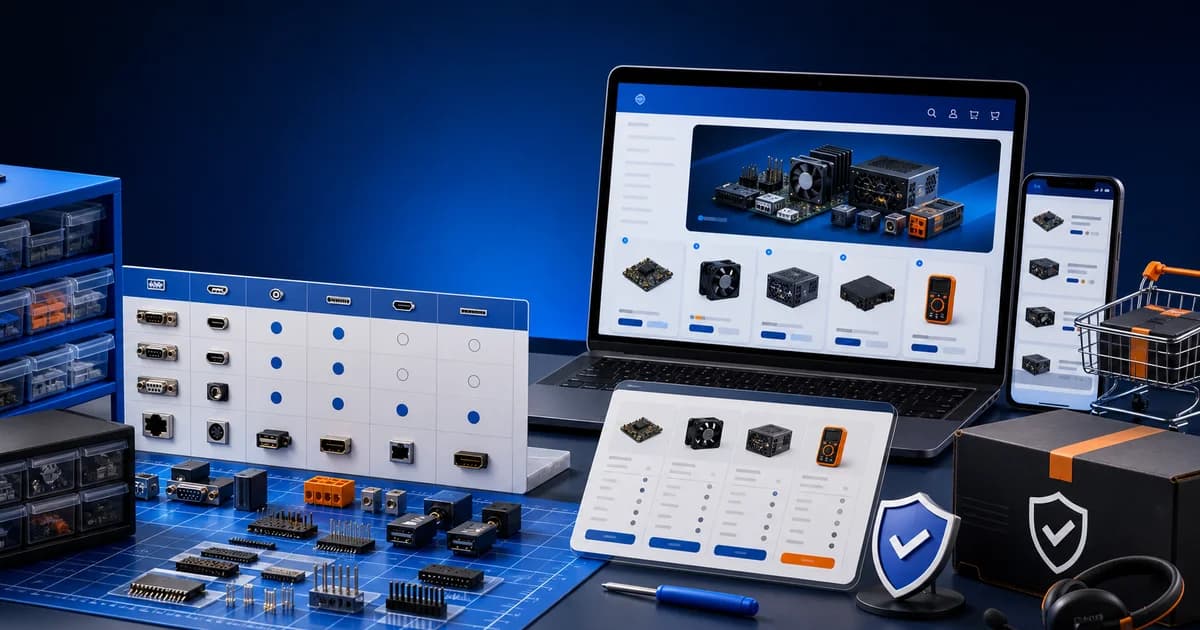
Start an online electronics store by narrowing the device category, securing authentic supply, normalizing specifications and compatibility, and proving warranty, returns, battery, shipping, and technical-support workflows.
Electronics buyers compare details that must stay consistent across models, variants, accessories, and revisions. The merchant also inherits authenticity, safety, import, battery, warranty, recycling, and support questions that vary by product and market. Shopify can organize and sell eligible products, but it cannot verify a radio approval, determine connector compatibility, diagnose a returned device, or authorize a brand relationship. Build those controls before importing a broad distributor feed.
Jurisdiction check: electronics can trigger US FCC equipment-authorization rules, CPSC safety duties, battery transport restrictions, energy labeling, privacy, and category-specific requirements; the exact mix depends on the product. Verify the relevant authorities and standards in every jurisdiction served before listing or importing. Supplier paperwork, a product page, and a theme preview are evidence inputs, not a promise of compliance or product suitability.
Key Takeaways
- Start with a device family whose authenticity, specifications, compatibility, and support can be verified.
- Treat regional model, revision, condition, included components, and warranty path as product identity.
- Block unverified bundles and battery routes rather than improvising compatibility or transport claims.
- Plan diagnostics, returns, end-of-life changes, and customer communication before catalog expansion.
Which electronics category can the store support well?
Choose a bounded device family whose provenance, specifications, compatibility, transport, warranty, and support the team can verify repeatedly. Business Guidance Library — CPSC (United States) organizes safety guidance by product and business responsibility, underscoring that electronics are not one compliance category. Use Electronix to present the approved range, not to justify an unsupported everything-electronics catalog.
Define the customer, device family, use context, and technical depth the team understands. A specialist store for a bounded ecosystem can build reliable compatibility and support knowledge; an everything-electronics catalog multiplies models, revisions, accessories, and warranty paths. Decide whether products are new, refurbished, open-box, custom-built, or mixed, and disclose condition accurately. Exclude any category whose supply, safety, carrier, or support obligations remain unclear.
How should electronics brands, distributors, and goods be qualified?
Verify seller authorization, provenance, regional model, condition, serial handling, included parts, firmware support, warranty, returns, and recall cooperation before listing. Equipment Authorization — FCC (United States) explains that covered radio-frequency devices follow authorization procedures before marketing or importation. Inspect representative units, and feed the product setup guide only approved identities rather than distributor or marketplace copy.
Verify supplier identity, authorization, provenance, exact model and regional variant, serial or batch handling, packaging, included components, firmware or support status where relevant, availability, warranty route, returns, and recall cooperation. Inspect representative units. Gray-market or mismatched regional products can create power, radio, language, warranty, and customer-support failures. Do not infer authenticity from professional-looking images or a marketplace listing.
What belongs in an electronics specification dictionary?
Define each comparison field’s standard name, unit, allowed values, applicability, evidence source, and revision rule; preserve unknowns instead of borrowing nearby-model data. Shopify Help — Product details says metafields can store specialized product information and connect it to compatible themes. Use the beginner storefront walkthrough to display the controlled dictionary, while verified technical sources remain authoritative.
Define standard field names, units, allowed values, and sources for each product family. Separate marketing names from measurable specifications. Record model, revision, dimensions, power, connectors, protocols, operating requirements, included items, compatibility, warranty, and supported documents as appropriate. Preserve “not known” rather than copying a nearby model. A normalized dictionary enables comparison and filters; inconsistent prose makes customers and staff translate every listing independently.
How can electronics compatibility be modeled as verified data?
Model compatibility as a directional, versioned relationship between exact products, interfaces, power requirements, software states, regions, and tested limits. Equipment Authorization — FCC (United States) addresses authorization for covered radio-frequency devices, not accessory interoperability. Keep that approval distinct from compatibility evidence, and never turn a shared connector shape, family name, or “often works” into a universal badge.
State exactly which devices, versions, connectors, standards, or environments are supported and identify the evidence. Distinguish physical fit from electrical, protocol, software, or performance compatibility. Use structured fields or a separately tested finder when needed. Never generate accessories from shared keywords alone. If compatibility changes with firmware or revision, record the boundary and review owner. A wrong compatibility claim produces avoidable returns and can create safety risk.
How should variants represent real electronics configurations?
Use variants only when one product genuinely changes by capacity, color, plug, package, or another supported option. Shopify Help — Adding variants says option-value combinations become variants and require variant-level price, inventory, and shipping settings. Give each configuration correct media, SKU, weight, specifications, and included items, then test regional and unavailable boundaries in the store launch checklist.
Use variants for sellable choices such as verified capacity, color, or regional configuration only when each combination maps to correct inventory, price, media, shipping, and support. Do not hide major model differences inside an option merely to keep one product page. Test unavailable combinations and cart labels. Customers and operators should see the exact configuration in every state. Archive obsolete revisions deliberately while preserving order and support context.
What does Electronix provide for an electronics storefront?
Electronix E-commerce Shopify Theme — Polo Themes confirms a responsive electronics design with an Ajax cart, customizable sections, and a mega menu. Those are catalog and navigation capabilities, not authenticity checks, regional approval, compatibility evidence, diagnostics, warranty administration, or battery clearance. Test Electronix against the densest real model records, unavailable configurations, and support exceptions before selection.
Electronix is Polo Themes’ direct electronics-store match, with an Ajax cart, configurable sections, and mega-menu navigation. Those features support catalog presentation; they do not provide specification data, compatibility verification, serial tracking, warranty administration, diagnostics, inventory, or regulatory approval. Preview Electronix with normalized specifications, similar models, verified accessories, unavailable configurations, and a broad but real menu.
How can electronics be compared without invented rankings?
Compare exact models through consistent, verified fields tied to the buyer’s task, and explain tradeoffs, unknowns, regional differences, and required accessories instead of issuing an opaque score. Shopify Help — Product details supports structured catalog information through product fields and metafields. Preserve model and variant identity from comparison to cart, and never let missing evidence improve a ranking.
Choose comparison fields from the customer’s task and populate them from controlled sources. Explain tradeoffs rather than declaring a universal “best.” Ensure missing data remains visibly unknown and does not make a product appear superior. Keep units consistent and test long technical values on mobile. A comparison tool should link back to exact model pages and preserve selected variants; otherwise it can help choose a specification but send the wrong item to the cart.
Who should own warranty and technical support?
Name the merchant, manufacturer, distributor, or service partner responsible for diagnostics, warranty, repair, replacement, shipping, and customer-data handling by model and region. Businessperson’s Guide to Federal Warranty Law — FTC (United States) explains required written-warranty content and pre-sale availability. Publish only executable terms, and use the Shopify app guide to assess any support connector separately.
Document whether the manufacturer, distributor, or merchant owns each warranty path by product and region. Explain proof, exclusions, contact, and shipping according to verified terms. Train first-line support to identify model, revision, serial where appropriate, order, symptoms, and safe troubleshooting boundaries. Do not advise hazardous disassembly or imply manufacturer authorization without proof. Returned electronics need a condition, data, accessory, and diagnostic process before restock or disposition.
How should electronics shipping and battery constraints be verified?
Verify packaging, carrier acceptance, service level, labeling, documents, destination, and battery state for each exact product and route. Transporting Lithium Batteries — PHMSA (United States) says lithium batteries are regulated hazardous material and must meet applicable transport requirements. Put only qualified, carrier-approved choices in the shipping setup guide, then test mixed carts and rejected routes.
Record packed weight, dimensions, fragility, battery type and installation status where relevant, carrier acceptance, destination limits, documentation, and packaging under qualified guidance. Configure Shopify profiles and zones from those facts. Test a mixed accessory and device cart. A general shipping rate may display even when the carrier will not accept a battery or destination; checkout configuration must follow the verified transport path.
What should a worked electronics compatibility journey prove?
Rehearse a shopper identifying the exact existing device, finding a supported accessory, understanding limits and included parts, selecting the correct regional configuration, and receiving a traceable unit. Equipment Authorization — FCC (United States) says covered radio-frequency devices follow an authorization procedure before marketing or importation. Verify that approval separately from accessory compatibility, cart identity, and fulfillment evidence.
A buyer knows the model of a device and needs a compatible accessory. They navigate by device family, confirm exact supported models and connector, compare verified alternatives, select an available configuration, and see warranty and delivery terms. The order records the exact accessory variant. Support can reproduce the compatibility evidence. The journey fails if “universal” replaces a model list or a recommended-product block suggests an unverified pairing.
How should end-of-life and revision changes be managed?
Freeze the old model identity, assess stock and open orders, verify successors, update compatibility links, and retain the warranty and support route for past buyers. Businessperson’s Guide to Federal Warranty Law — FTC (United States) requires written warranties to state their terms and be available before sale. Preserve which terms, specification, accessories, and remedies applied to each revision.
Electronics models can disappear while accessories, warranties, repairs, and customer questions continue. Record lifecycle status separately from inventory. When a manufacturer ends support or introduces a revision, review compatibility tables, product copy, bundles, firmware guidance, warranty, parts, and recommendation rules. Do not redirect an old model to a successor until the differences are explicit and customer routes remain meaningful. Preserve past order identity for support.
For a revised product sold under a familiar name, verify identifiers, regional availability, power, connectors, dimensions, included accessories, media, software needs, and warranty before merging any data. A small specification change can invalidate a case, charger, mount, or replacement part. Quarantine feed updates that conflict with controlled records. Staff should be able to answer whether the item in stock is the version represented online.
Plan discontinued inventory deliberately. Decide whether remaining units can be supported, whether warranty and parts routes still operate, which claims need qualification, and how returns will be handled. Archive listings when the offer can no longer be kept, while preserving relevant support content and redirects. Scarcity language must reflect real inventory and should never pressure customers to accept an obsolete or unsupported configuration.
Own bundles as compatibility promises
Treat a bundle as a controlled configuration, not a discount applied to nearby products. Record the exact device revisions, regional versions, accessories, cables, power requirements, software dependencies, warranty owners, and package contents that make the bundle usable. Decide whether stock is reserved as a bundle or assembled from independent inventory, how partial cancellation works, and whether one failed component stops fulfillment. Recommendation automation may surface candidates, but a qualified product owner must approve the relationship customers are asked to trust.
Suppose a supplier silently revises a hub while retaining its retail name. The incoming unit has a different power specification and no longer supports one display mode advertised in a laptop bundle. Receiving quarantines the revision, the catalog owner separates its identifier, compatibility evidence is retested, and open orders remain on hold until the customer receives an accurate option. Replacing the old hub and hoping it works would turn a supplier change into a merchant-owned misrepresentation and support incident.
Apply equipment rules to the exact regional model
For United States sales, use FCC equipment-authorization records for products that fall within that regime and CPSC primary guidance for applicable consumer-product safety duties; add the competent battery, transport, environmental, privacy, and state authorities for the actual item and route. Verify identifiers on the unit, not merely a family marketing page. For every other destination, identify the responsible radio, electrical-safety, environmental, and consumer authorities. Disable a regional variant until its approval, labeling, plug, radio, warranty, and import path are confirmed.
Electronics launch acceptance tests
- Regional identity: model, revision, plug, radio capability, markings, warranty, media, and inventory agree for each enabled destination.
- Compatibility: every promoted accessory and bundle has reproducible evidence for the exact paired revisions and unsupported pairings stay unavailable.
- Change quarantine: an unexpected supplier specification or identifier change cannot overwrite the approved live record automatically.
- Return safety: staff isolate customer data, missing components, damaged batteries, and diagnostic failures before disposition.
- Support continuity: discontinued and replaced products retain order identity, warranty routes, parts context, and honest successor guidance.
Failure modes to test
- Regional mismatch: the listing combines specifications, plugs, radio support, or warranty from different variants.
- Accessory guess: recommendations are generated without verified physical and technical compatibility.
- Revision drift: supplier data changes under the same marketing name while storefront facts remain stale.
- Unsafe return: staff restock an opened device without condition, data, component, or diagnostic checks.
- Carrier rejection: checkout offers a destination or method incompatible with the item’s battery or handling.
- Theme overclaim: navigation or Ajax cart features are described as technical product intelligence.
Implementation sequence
Choose the bounded category and market. Qualify supply and representative units. Build the specification and compatibility standards. Define warranty, support, returns, and transport. Create the hardest product and related accessory in Shopify. Stage Electronix with real comparison data. Test selection, sold-out state, mixed cart, failed payment, carrier restriction, warranty inquiry, and returned-item decision before publishing.
Frequently asked questions
How should electronics specifications be imported?
Map them into a controlled dictionary, verify exact model and regional revision, preserve source and review ownership, and quarantine conflicts instead of publishing supplier fields blindly.
Does Electronix verify compatible accessories?
No. Its seeded features concern presentation, sections, menu navigation, and Ajax cart behavior. Compatibility remains controlled merchant data or a separate tested system.
Can all electronics use one shipping profile?
Only if verified origins, handling, destinations, and rate behavior genuinely match. Batteries, fragility, size, value, or carrier restrictions may require different treatment.
What belongs in an electronics return check?
Use a product-appropriate process for exact identity, condition, included components, customer data, diagnostics, warranty route, and safe disposition before any restock decision.
When should an electronics revision become a separate product?
Separate it when identifiers, regional approval, power, connectors, radio behavior, dimensions, included components, software support, compatibility, warranty, safety information, or customer expectations materially differ. A shared retail name is not sufficient reason to merge records. Quarantine incoming units until the product owner determines whether existing media, comparisons, reviews, bundles, and accessories remain truthful for the new revision.
How should mixed-device bundles handle a stockout?
Define whether the bundle reserves complete kits or draws from independent stock, and whether one missing component stops the whole order. Do not substitute an accessory until exact compatibility, regional version, warranty, price, and customer consent are reapproved. If partial shipment is allowed, explain parcel, timing, cancellation, and remedy behavior before purchase and ensure support can identify which component and revision belongs to the bundle.
Can a successor model inherit the old product page?
Only when controlled review shows that identity, specifications, compatibility, approvals, media, warranty, support, and customer decision remain accurate; that is uncommon for a material revision. Prefer a distinct record with an honest comparison and meaningful navigation from the discontinued model. Preserve the original page or order context needed for warranties, returns, parts, and technical support rather than rewriting history around the successor.
What should support do with a swollen or damaged battery report?
Use the approved safety escalation immediately, collect only the information the qualified process requires, and provide manufacturer, carrier, emergency, or disposal guidance from controlled sources. Do not ask the customer to ship, open, charge, or test the item through an ordinary return script. Identify related inventory and orders for assessment, preserve the report, and keep the unit out of restock regardless of the refund decision.
How should firmware-dependent features be described?
State the verified device revision, supported software environment, required account or service, regional limits, update ownership, and what remains functional if support ends. Recheck the claim when firmware or an external service changes. A launch demonstration is not a permanent capability guarantee, and a storefront comparison should not rank a feature whose current operating requirements are unknown. Test initial setup, refused permissions, an unavailable service, update failure, account recovery, and the documented fallback on a production-representative unit before making the feature central to the purchase decision.


