Design · August 23, 2026 · 10 min read
12 Electronics Store Design Examples
Twelve current, named electronics stores and the observable navigation, merchandising, support, and compatibility lessons a storefront can adapt.
By Polo Themes
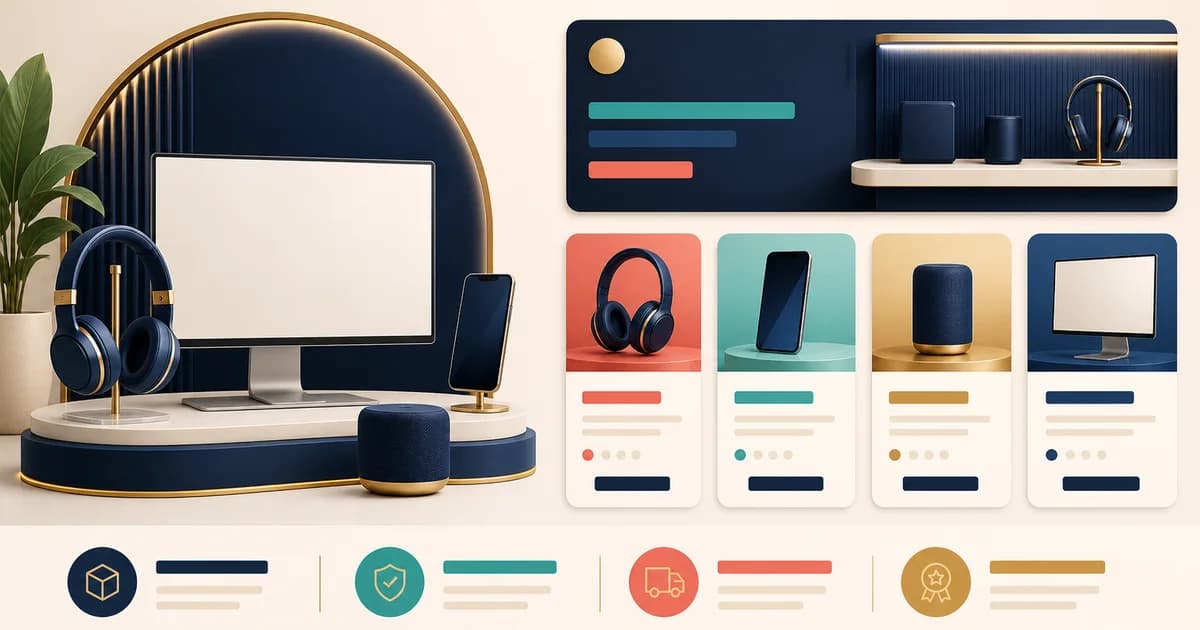
The short answer: an electronics store should remove one buying uncertainty at a time: what category fits, which exact model is shown, whether it works with the buyer’s setup, and where help or ownership terms live. The 12 current sites below are named examples, reviewed on 2026-08-23 from their direct official sites. They are not a ranking, endorsement, or claim about conversion, performance, or customer satisfaction.
Electronics catalogs have a special failure mode: visually similar items can differ in ports, storage, regional versions, condition, included accessories, software support, or service terms. Imagery helps recognition, but it cannot answer those questions alone. The useful design lesson is to connect merchandising to evidence—model-level details, a visible support route, and policies that do not masquerade as product features.
12 real electronics store design examples
1. Apple Store Online: pair discovery with ownership help
Apple Store Online visibly separates Mac, iPhone, iPad, Watch, AirPods, TV & Home, and Accessories. The landing page also links shopping with a Specialist, Personal Setup, service and support, trade-in, delivery or pickup, and payment options. Lesson: make ownership help part of product discovery, rather than leaving it to an isolated help center after checkout. Adaptation note: a multi-brand retailer should link each step to the party that can genuinely help—retailer, manufacturer, or installer. Do not copy ecosystem language if you do not provide the corresponding service, account, or store capability. The direct official site is listed in References.
2. Samsung US: make a broad catalog scannable by product domain
Samsung’s official US site exposes product paths for phones, tablets, computers, wearables, TVs, projectors, sound devices, appliances, monitors, storage, and accessories. Its footer keeps Manuals & Software, Warranty Information, repair, order help, returns, and contact routes together. Lesson: for unrelated technical domains, let buyers enter through a recognizable product type and keep service information easy to find. Adaptation note: do not reproduce the same number of top-level choices in a smaller catalog. Combine categories only when their buying questions, filters, and support rules genuinely overlap. The direct official site is listed in References.
3. Google Store: connect devices, repairs, care, and subscriptions
The Google Store utility navigation includes Devices, Repairs, Pixel Care+, Subscriptions, Orders, and account access. Its storefront also places trade-in and offer messages near device shopping. Lesson: give practical post-purchase relationships their own clear labels before shoppers have to search a help center. A device can have distinct repair, protection, and service paths. Adaptation note: name the actual owner of each route and show eligibility or regional conditions. A generic header link must not imply that every product qualifies for repair, trade-in, coverage, or a subscription. The direct official site is listed in References.
4. Sony Electronics: use category boundaries to manage technical language
Sony Electronics presents areas spanning televisions, audio, cameras, mobile, and video cameras. This visible separation matters because useful terminology changes with the product: camera lens compatibility is not an audio connection question, and a television size filter is not a camera-body selector. Lesson: use category-specific filters, specification labels, and help links instead of forcing one attribute set onto everything. Adaptation note: specialization only works when the data is maintained. If a store cannot verify a field, preserve the manufacturer’s exact wording and link to official documentation rather than inventing a simplified claim. The direct official site is listed in References.
5. Dell: offer task-led assistance without hiding standard shopping
Dell’s US homepage retains category routes for laptops, desktops, monitors, accessories, servers, and storage, while offering prompts to find a laptop, track an order, or get technical support. Its support area includes Drivers and Downloads, warranty and contracts, parts and upgrades, and order support. Lesson: serve both an informed category browser and the person who knows a goal but not the taxonomy. Adaptation note: only offer guided prompts that can be answered from verified catalog data. An assistant is not a compatibility authority unless answers trace back to models, connectors, standards, and published rules. The direct official site is listed in References.
6. Lenovo: merchandise by use context as well as hardware type
Lenovo’s US site combines PC, tablet, server, monitor, and accessory categories with paths for Business, Student, Gaming, and Creator audiences. Lesson: a large catalog can give visitors a job- or setting-led starting point, not just a hardware label. This is especially useful when buyers know what they want to do before they know a product family. Adaptation note: audience paths should filter or curate, then reveal exact model, configuration, availability, and terms. “For creators” cannot prove ports, display characteristics, software support, or regional keyboard layout for an individual buyer. The direct official site is listed in References.
7. Best Buy: put services beside products in the navigation system
Best Buy’s official site keeps Shop, Deals, Support & Services, and Discover as top-level routes. Its support menu visibly includes repair and tech services, remote support, appointments, trade-in, repair status, and category-specific services for computers, TVs, appliances, smart homes, and car electronics. Lesson: when real post-purchase operations exist, give them a first-class route instead of treating them as footer-only legal text. Adaptation note: list only services you deliver or can refer to with clear responsibility. Installation, repair, and trade-in can depend on location, product, and condition, so show restrictions before making a promise. The direct official site is listed in References.
8. B&H Photo Video: let specialist departments signal distinct workflows
B&H Photo Video’s official storefront spans cameras, photography, computers, and related technology. That specialist breadth illustrates why departments can be meaningful information architecture: a camera buyer may need lens or mounting information, while a computer buyer may need configuration and port details. Lesson: maintain department-specific buying guides and compatibility language, then connect them to exact products. Adaptation note: a generic “expert” label or thin guide does not replace model-level facts, current stock, package contents, or returns information. Add specialist navigation only where you have enough current catalog knowledge to support it. The direct official site is listed in References.
9. Nintendo Store: make platform compatibility visible through collections
Nintendo’s official store separates Games, Hardware, Merchandise, Sales and Deals, and Exclusives. Its homepage also groups Nintendo Switch 2 accessories apart from other content, and the product names identify the platform. Lesson: organize accessories around the device generation or platform that governs compatibility, not around a decorative accessory category alone. Adaptation note: use a confirmed model family or standard in collection labels and retain it on the product page. Do not assume a branded accessory works across generations, regions, or revisions; show the official compatibility statement and any needed adapter or account condition. The direct official site is listed in References.
10. DJI Store: place buying guides next to complex product families
The DJI Store organizes Camera Drones, Handheld, Power, Services, Accessories, Education & Industry, and Official Refurbished. Within product-family areas it links to guides such as “Which Drone Is Right for Me?” and “Which Handheld Is Right for Me?” alongside product cards and accessories. Lesson: when trade-offs cannot fit on a collection card, offer both a guide route and a direct inventory route. Adaptation note: a guide should name its assumptions and return to current model pages. It must not replace safety, regulatory, compatibility, or regional-use information that changes by product and customer location. The direct official site is listed in References.
11. Bose: keep variants and optional protection next to the purchase action
Bose’s official homepage shows product cards with an explicit color selection control, a named protection-plan option, price information, and Add to Cart. It also has a visible “Why buy from Bose” area linking returns, price-match, shipping, and member information. Lesson: keep a selected variant and optional protection choice visibly connected to the product action. A color swatch or plan should not become an unexplained cart change. Adaptation note: use only your actual stock states and policy terms. Manufacturer policy labels, exclusions, eligible items, and regional rights cannot be copied as a retailer promise. The direct official site is listed in References.
12. Logitech: support product-type and setup-oriented browsing
Logitech’s US site provides routes for Mice, Keyboards, Combos, Webcams, and iPad Keyboard Cases, as well as MX Series, Ergo Series, For Mac, and For iPad. It also promotes workspace bundles. Lesson: an accessory catalog can serve the shopper who knows the component and the shopper assembling a setup. Adaptation note: both routes must resolve to exact compatibility and included items before checkout. “For Mac” or “For iPad” is orientation, not proof of operating-system version, physical fit, charging method, keyboard layout, or software feature support. The direct official site is listed in References.
How to apply the examples without copying their assumptions
- Start with one uncertainty. Choose a recurring question—model identity, fit, included accessories, delivery, repair, or returns—and locate the screen where it begins.
- Use a traceable field. Give each technical or policy claim a source owner, update path, and display location. A polished component cannot repair an unverified catalog value.
- Design the exception state. Test unavailable variants, missing fields, long model names, condition-specific images, and a buyer whose setup cannot be confirmed automatically.
- Keep responsibility explicit. Label what the retailer, manufacturer, and third-party service each do. Put a full policy or official document close to its summary.
- Review the live experience. Recheck product families, support links, policies, and guides whenever inventory, regional terms, or manufacturer documentation changes.
Conclusion
These 12 electronics store design examples show different ways to reduce selection friction: category routes, setup-oriented collections, guides, service navigation, variant controls, and ownership information. Their shared lesson is not a visual style. It is putting the next useful fact or support route where a buyer needs it, without overstating what the store knows. Adopt a pattern only when accurate catalog data, operational policy, and an ongoing maintenance process can support it.
Frequently asked questions
Are these the best electronics websites?
No. This article makes no ranking or “best” claim. These are 12 current named sites used as observable examples of different storefront patterns, reviewed directly on 2026-08-23. A pattern is useful only if it fits your catalog, operations, and customers.
Can I reuse a manufacturer’s compatibility wording?
Use an official source as evidence, but verify that the wording is current and applies to the exact variant you sell. Do not turn a broad product-family statement into a guarantee for a customer’s complete setup.
What should an electronics product page show first?
Show the exact model and selected variant, the few facts that change the choice, price and availability, included items, and an immediately visible route to compatibility or support information. Keep the full specification and policy pages one clear step away.