Design · August 23, 2026 · 9 min read
Electronics Store Design
Electronics stores should prioritize structured specifications, compatibility, comparison, variant identity, warranty context, and search across dense catalogs.
By Polo Themes
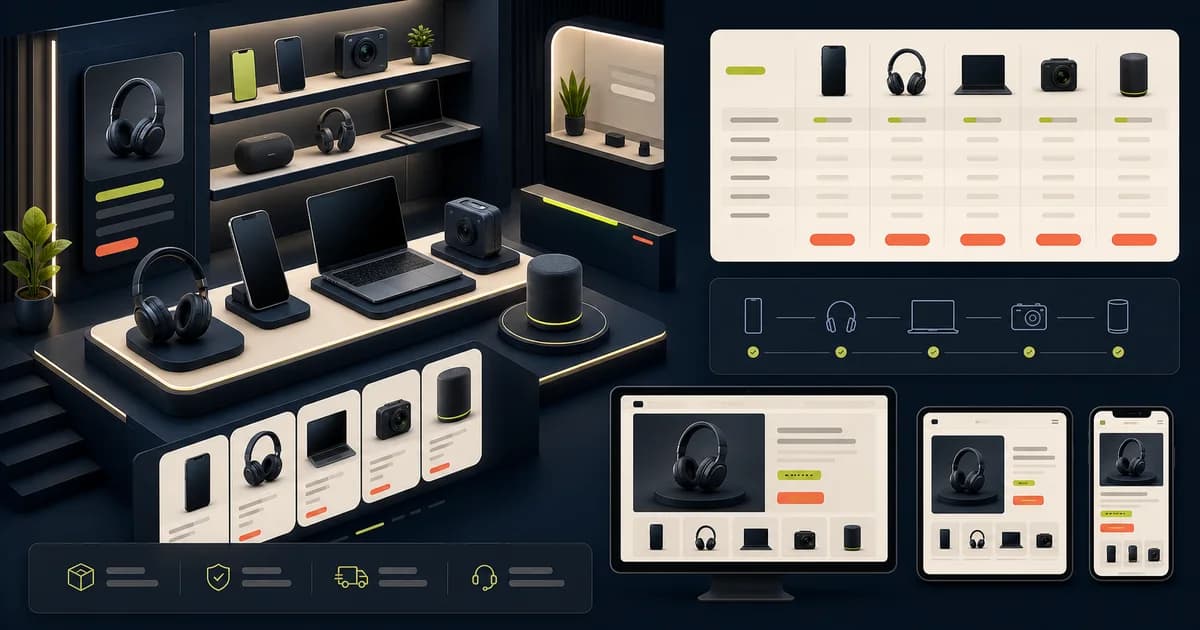
Electronics shoppers often compare precise attributes and need confidence that products work together. Design should turn reliable catalog data into scannable evidence without burying differences in marketing prose.
Key Takeaways
- Normalize specifications and units across comparable products.
- Make compatibility and included items explicit before purchase.
- Tie media and availability to the selected variant.
- Exercise support, warranty, preorder, and replacement scenarios.
How should you create a normalized specification model?
Baymard Institute’s “E-Commerce UX: Post-Process Vendor-Supplied Product Data (52% Don’t)” quantifies a catalog normalization gap. For each electronics class, define comparable fields, units, allowed values, unknown handling, source, and owner; filters and comparisons cannot become more trustworthy than the product facts feeding them.
Separate model, generation, capacity, dimensions, power, ports, included items, compatibility, and warranty instead of burying them in prose. The course-platform design guide offers a useful contrast: it applies the same structured evidence discipline to outcomes, prerequisites, duration, format, and access.
Do not copy unverified manufacturer marketing into structured facts. Assign catalog owners and review dates. Show unknown instead of inventing a value. Update downstream content when a specification correction changes compatibility or selection.
How should you structure product data?
Baymard Institute’s “Product Spec Sheets: 4 Ways to Make Spec Sheets More Scannable for Users (50% of Sites Get It Wrong)” recommends grouping lists longer than about 20 specifications. Keep model, generation, dimensions, included parts, variants, compatibility, release status, and warranty as distinct structured fields with explicit unknowns.
Assign provenance and review ownership, then propagate corrections to filters, comparisons, recommendations, and support. The checkout UX guide advances this model because exact configuration, included items, price, warranty context, and fulfilment must remain intelligible when the product reaches cart and payment.
- Define attribute schema.
- Show units consistently.
- Separate fact from claim.
How should you create a compatibility evidence workflow?
Baymard Institute’s “10% of E-Commerce Sites Have Product Descriptions That Are Insufficient for Users’ Needs” specifically calls for technical compatibility information. For every “works with” claim, record the manufacturer document, tested configuration, model and version scope, market, review date, exclusions, and accountable owner.
Expose exact scope and a correction route, then revalidate relationships when related products or software change. The 2026 design-trends analysis helps decide whether new recommendation or comparison patterns improve this evidence workflow or merely make uncertain compatibility look more authoritative.
When firmware, operating system, or related products change, revalidate affected claims and recommendations. Monitor wrong-item returns and support questions. Compatibility design is trustworthy only when the store can update relationships over time; a static Works with badge is not enough.
How should you design precise product identity?
Baymard Institute’s “Product Listing UX: What Information to Display in Product Listings (50% Get It Wrong)” found inadequate attributes caused shoppers to miss relevant items. Identify electronics by brand, full model, generation, capacity, color, region, and SKU, keeping the selected configuration beside its price and action.
Carry exact identity into cards, comparison, cart, confirmation, orders, support, and returns, including condition and preorder state. The 2026 e-commerce design pillar advances this review by tracing the same selected product through every connected storefront stage and ownership boundary.
Handle refurbished, open-box, bundle, preorder, and discontinued states only when the business supports them and label condition accurately. Test long model strings and near-identical variants on narrow screens.
How should you build useful category filters?
Baymard Institute’s “Filter List Design: Have Filters for All Displayed List Item Info (38% Don’t)” connects visible facts with usable refinement. Build filters from class-specific specifications such as ports, dimensions, platform, compatibility, price, and availability, exposing them only when normalized catalog coverage makes results dependable.
Explain ambiguous technical terms, show selected values, and recover from zero results without substituting unrelated stock. The mobile-commerce guide advances the interface by testing these dense refinements under touch, narrow reflow, interruption, software-keyboard, and focus constraints.
Show selected values and counts accurately, preserve URL state, and recover from no results. Avoid offering a compatibility filter that the data cannot guarantee. Review search terms and support questions to improve vocabulary.
How should you create trustworthy comparison?
Baymard Institute’s “Product Comparison UX: Always Provide Comparison Features for Spec-Driven Industries (17% Don’t)” found 67% of participants used comparison tools. Compare exact configurations through aligned attributes and consistent units, keeping identity visible and displaying unknown values rather than treating missing data as equivalence.
Preserve row labels and product identity through narrow-screen reflow, keyboard navigation, removal, and reset. The Electronix Figma theme is a relevant product destination because its electronics-oriented screens provide a concrete starting layout for dense facts, while real catalog data must prove comparison behavior.
On narrow screens, preserve row relationships through reflow or controlled tables. Support keyboard and screen readers and provide removal and reset. Do not label one product best without a defined shopper need and evidence.
How should you explain compatibility?
Baymard Institute’s “10% of E-Commerce Sites Have Product Descriptions That Are Insufficient for Users’ Needs” identifies missing compatibility detail as a purchase barrier. State exact platforms, models, versions, connectors, power, dimensions, software, region, and required accessories, distinguishing manufacturer claims, store tests, and unknown relationships.
State compatible platforms, models, versions, connectors, power, dimensions, software, and required accessories according to sourced data. Distinguish tested, manufacturer-stated, and unknown compatibility. Provide a verification or support route for high-risk purchases.
Do not infer compatibility from a shared connector alone. Handle regional model differences and firmware or operating-system changes. Track claims and update them when related products change.
How should you design technical product pages?
Baymard Institute’s “Product Spec Sheets: 4 Ways to Make Spec Sheets More Scannable for Users (50% of Sites Get It Wrong)” found only 3% of sites summarize critical specifications. Unite exact model, configuration, price, stock, compatibility, included items, warranty, and action, then provide scannable grouped detail below.
Combine accurate media, model identity, price, variant, availability, key specifications, compatibility, included items, warranty, delivery, returns, and purchase action. Use structured tables and explanations rather than a wall of badges.
Provide manuals or documents only from trusted sources and label versions. Product videos need controls and alternatives. Keep accessory recommendations explicitly compatible and avoid bundling claims the cart cannot enforce.
How should you handle stock preorder and release states?
Baymard Institute’s “Product Page UX: Data Should Be Synchronized Across Product Variations (28% Don’t)” makes variant truth measurable. Synchronize stock, preorder, price, media, and delivery for the exact selection and market; preorders also need charge timing, release-date basis, allocation, cancellation, and update expectations.
Distinguish in stock, low stock, backorder, preorder, discontinued, and unavailable with source and timing. Preorders need charge timing, estimated release basis, cancellation, allocation, and update expectations.
Avoid fabricated scarcity and countdowns. Inventory can change across variants and markets; update media, price, and action together. Test oversell and delayed release communication with operations.
How should you support high-consideration service?
The Federal Trade Commission’s “Businessperson's Guide to Federal Warranty Law” says written warranties on consumer products costing more than $15 must be available before sale. Keep warranty, returns, installation, recycling, repair, and technical support findable for the exact model, provider, product scope, and region.
Make warranty scope, returns, technical support, installation, data transfer, recycling, and repair information findable. State who provides each service and any region or product limits.
Review support routes and escalation with operations. Do not imply manufacturer authorization or certification without proof. Post-purchase order and model identity should stay clear through support and returns.
How can you use Electronix as a verified starting point?
Baymard Institute’s “E-Commerce UX: Post-Process Vendor-Supplied Product Data (52% Don’t)” distinguishes visual design from operational product truth. Electronix includes more than 10 commerce screens, but those assets do not prove normalized specifications, compatibility logic, live inventory, warranties, integrations, accessibility, performance, or transactions.
Repository data confirms Electronix Figma UI with more than ten commerce screens and an Electronix Shopify theme, including product listing, details, search, cart, and review-oriented patterns. It describes editable colors, organized layers, components, and responsive theme features.
Those assets do not establish live specifications, compatibility, comparison logic, warranties, inventory, review sourcing, apps, accessibility, performance, or transactions. Populate them from governed catalog data and verify the complete store.
Support comparison and compatibility
Let shoppers compare a bounded set of meaningful attributes, identify exact model variants, and understand required accessories. Avoid compatibility claims that the catalog cannot substantiate.
- Show source and scope.
- Handle unknown values honestly.
- Preserve compared items.
Build on appropriate patterns
PoloThemes' Electronix Figma UI and Shopify theme are verified electronics-oriented products. Their reusable patterns still need real product data, search behavior, integrations, accessibility, and performance validation.
- Test dense mobile views.
- Optimize product media.
- Verify cart model identity.
Test difficult electronics scenarios
Ask shoppers to compare near-identical models, identify a compatible accessory, choose a configuration, understand included items, and recover from unavailable stock. Use realistic specifications and varied technical confidence.
Monitor wrong-product returns, compatibility questions, search failures, and support after launch. Improve data and explanations at their source. Do not treat every mismatch as a button-placement problem.
How should compatibility become a governed product fact?
Baymard Institute’s “Product Comparison UX: Always Provide Comparison Features for Spec-Driven Industries (17% Don’t)” found 67% of tested participants used comparison features. Govern compatibility as sourced catalog data across protocol versions, operating systems, generations, dimensions, power, regions, accessories, included parts, and known exclusions.
Present compatibility at the point where a shopper selects the host device, accessory, or variant. Use explicit “works with”, “requires”, and “not supported” language instead of expecting model-number recognition. If the store cannot determine fit, say so and route to a specialist rather than converting uncertainty into a reassuring badge. Keep bundles and replacement parts aligned when a manufacturer revises a model.
Test with near-identical products whose differences are easy to miss, a discontinued host device, an accessory spanning several generations, and a region-specific model. Verify the comparison on mobile, where wide tables need prioritization or progressive disclosure without losing row labels. Feed incompatibility returns and support contacts back into the schema, and block merchandising claims that have no current source evidence.
Add a compatibility case that crosses product, accessory, region, and warranty data. Ask the shopper to verify ports, power requirements, supported models, included parts, and return implications, then confirm the cart does not recommend or bundle an incompatible item.
Conclusion
Electronics design turns governed specifications and compatibility into clear comparison and exact purchase identity. Electronix accelerates page patterns, while catalog quality, integrations, warranty, accessibility, and transaction behavior remain merchant responsibilities. Add a compatibility decision to each comparison test: the shopper should identify required ports, operating systems, accessories, power, or generation constraints without interpreting model names. When compatibility is unknown, route to support instead of implying a fit.
Frequently asked questions
How should compatibility claims be shown?
State product, model, version, connector, region, and test or manufacturer basis as available. Offer a verification route and mark unknowns instead of inferring compatibility.
What belongs in an electronics comparison?
Include a bounded set of attributes meaningful to that product class, with consistent units, exact configurations, unknown values, price, availability, and links to full details.