Figma · August 23, 2026 · 7 min read
Best Figma UI Kit for Fashion Stores
Evaluate a fashion-store kit through editorial discovery, sizing evidence, variant availability, outfit context, and returns confidence.
By Polo Themes
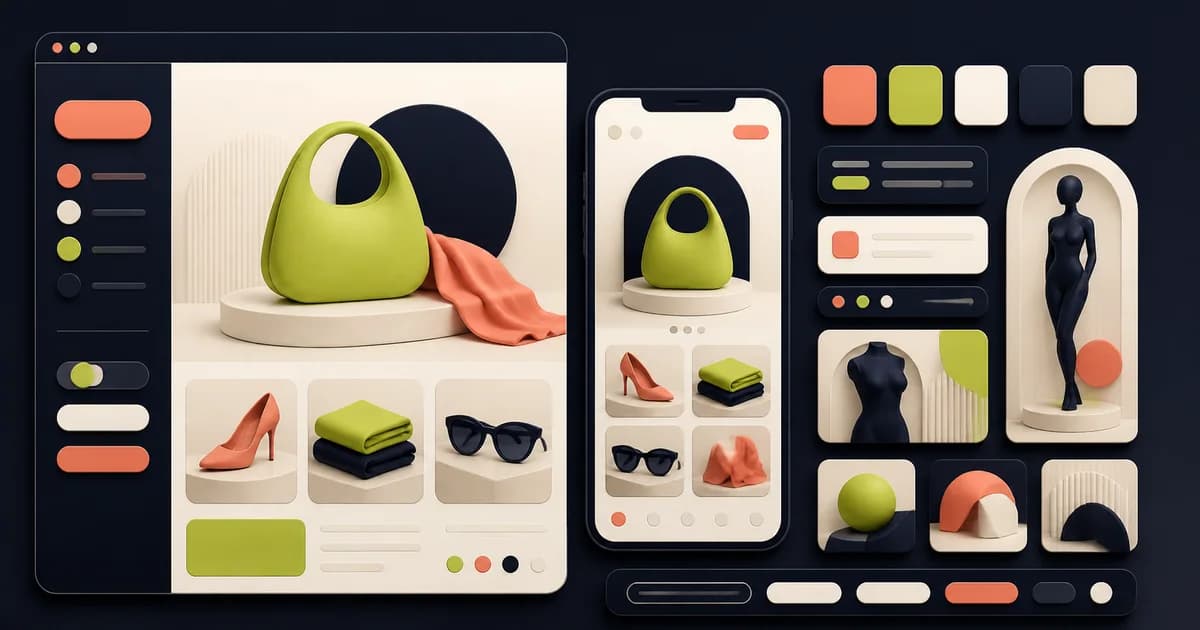
Polo Wosa is the direct recorded match for a fashion storefront. The repository describes a design for clothing, shoes, accessories, and related merchandise, and lists more than twenty pages and screens across home, product listing and detail, orders, reviews, shipping address, wishlist, and cart. That inventory supports a serious fashion trial. It does not supply a merchant’s size system, material content, return policy, merchandising calendar, or accessibility evidence.
The best fashion kit balances desire with decision confidence. Editorial imagery and collection storytelling should help customers discover a point of view, while sizing, fabric, color, stock, delivery, care, and returns remain easy to understand. Test Wosa with the retailer’s least convenient garments and content. A beautiful sample outfit is not evidence that the underlying components can sell an unusually sized, low-stock, care-sensitive item.
Use only recorded Wosa facts as product claims
The catalog records editable design, organized layers, customizable colors, free Google Fonts, icon options, imagery, navigation, components, and a design system among Wosa’s features. Confirm those claims in the current source before estimating. The entry does not document exact responsive behavior, accessibility testing, supported commerce platform, localization, variant logic, or merchant data. Those remain inspection and implementation questions.
Keep general recommendations labeled as such. Guidance in this article about sizing, diverse imagery, returns, product data, and accessible interaction expresses evaluation criteria for the project. It is not a claim that Wosa includes each practice. The adoption record should list what is supplied, what the team changes, and which policy statements still await approval.
Test editorial discovery without losing orientation
Build a homepage with a seasonal story, permanent category entry, new products, a promotion, and service information. Ask a shopper to find a specific garment after entering through the campaign. Editorial modules should connect to a comprehensible catalog rather than forming isolated visual chapters. Check headings, links, image crops, and context when the campaign copy is long or one module is removed.
Create collections by product type, occasion, material, fit, and editorial edit, then decide which language customers understand. Test an item belonging to several groups and a campaign that expires. Breadcrumbs, titles, filters, and selected states should explain location without exposing internal merchandising taxonomy. A generic “shop” grid wastes the domain advantage of a fashion-oriented source.
Make product cards carry useful signals
Load cards with long names, multiple colors, a price range, sale and full-price states, low stock, missing alternate imagery, and varied aspect ratios. Decide whether quick add is appropriate when size or fit needs explanation. Hover-only alternate images or controls need touch and keyboard alternatives. Every badge should have a defined source, priority, expiry, and non-color meaning.
Use color swatches carefully. A swatch may represent a named variant, an approximate family, or an image change; explain the convention and preserve a text label. Test unavailable colors and colors whose appearance varies by screen. Product photography and approved names remain the better evidence. The interface should not guarantee color accuracy it cannot control.
Treat sizing as product evidence
Prototype a product with regional size labels, garment measurements, model information, fit description, stretch or construction notes, and an unavailable combination. Separate the size printed on a label from actual measurements and merchant guidance. If a recommender is planned, define its inputs, uncertainty, privacy, and alternative path. Do not invent confidence language to make the Figma flow feel complete.
The size guide must remain usable with enlarged text, keyboard navigation, zoom, and narrow screens. Avoid an image-only chart whose content cannot reflow or be read semantically in implementation. Link the guide to the current garment or category context and preserve the shopper’s selection on return. Content and merchandising owners should verify every value and conversion.
Connect variants, media, and stock
Changing color or size can change imagery, identifier, price, availability, delivery, and purchase action. Build that dependency into the prototype and show invalid, unavailable, low-stock, back-order, and not-yet-selected conditions. A strong component model can express them without dozens of detached product pages. Engineering must still define the authoritative data and update behavior.
Organize media to answer questions: overall silhouette, material texture, construction, scale, movement, alternate styling, and relevant details. Include meaningful fallbacks and avoid making video or precise gestures the only way to inspect an item. Test different body presentations where the brand supplies them, while keeping claims about fit evidence precise and approved.
Design outfits without obscuring individual purchases
A “complete the look” composition should identify every item, current variant, separate price, availability, and optionality. Test one unavailable item, different sizes across pieces, a price change, and a shopper who wants only one component. Do not present a styled group as a guaranteed bundle unless the commerce system actually sells and fulfills it that way.
Wishlist and saved-look patterns require account, privacy, stock-change, and expiration decisions. Prototype a guest save, sign-in transition, removed product, changed price, and notification preference. The Wosa catalog records wishlist among its screens; the retailer must still define persistence, consent, messaging, and service behavior.
Place delivery, care, and returns near the decision
Fashion purchase confidence depends on when an item will arrive, how it should be cared for, and what happens if fit is wrong. Place concise verified information near selection and offer complete policy content without overwhelming the page. Test final-sale, personalized, hygiene-sensitive, cross-border, and delayed items only where the merchant’s real policy uses those distinctions.
Follow an order into tracking, delivery, return initiation, reason capture, method, status, refund, exchange where supported, and help. Preserve item identity and variant throughout. Never infer that a generic orders screen enforces the business process. Operations, commerce, and support owners should approve the allowed actions and language.
Inspect Wosa as a working system
Audit navigation, editorial modules, collection cards, swatches, size controls, media, price states, wishlist, cart lines, addresses, reviews, and orders as components. Review properties, variants, nesting, auto layout, styles or variables, naming, and external dependencies. Use a controlled copy, retain the original, and record every local exception instead of detaching it silently.
Resize with realistic content and verify contrast, visible focus, non-color meaning, text enlargement, target sizes, headings, labels, and errors against the project standard. Fashion art direction often favors small type and low contrast; do not preserve those choices when they obstruct purchase facts. Final conformance depends on implementation and testing, not the Figma file alone.
Fashion-kit evaluation checklist
- Editorial stories connect into stable catalog navigation and remain coherent when modules or campaigns change.
- Cards support long names, mixed imagery, named colors, price states, availability, and touch or keyboard interaction.
- Sizing separates labels, measurements, fit guidance, uncertainty, regional context, and authoritative merchant data.
- Variant changes keep media, identifier, price, stock, delivery, and purchase feedback synchronized.
- Outfit and wishlist patterns preserve individual item choices and represent unavailable or changed products honestly.
- Delivery, care, final-sale, return, refund, and support language comes from approved operational policy.
- Components remain connected and accessible under stressful content, localization, enlarged text, and narrow widths.
Failure modes
The first failure is treating imagery as the whole product. Customers admire the page but cannot find measurements, material, stock, care, or returns. Recover by rebuilding the decision hierarchy using a difficult garment, then restore editorial expression around the evidence rather than above it.
The second failure is forcing one card and detail layout across clothing, shoes, accessories, and beauty. Shared foundations are useful; product facts differ. Compose category-specific sections from stable primitives and document why. Consistency should make decisions predictable, not erase merchandise distinctions.
The third failure is promising inclusive fit through imagery alone. Diverse presentation can improve relevance, but sizing accuracy, availability, language, and service policy require their own evidence. Avoid universal fit claims. Test representative data and have merchandising, content, accessibility, and operations owners review the complete route.
Use a seasonal change as the adoption test
Replace the demo season with a new collection whose imagery, product mix, colors, copy length, size range, and promotion structure differ. Ask merchandising to make the change using the documented components rather than detached layouts. A sound Wosa adoption preserves catalog orientation, purchase facts, accessible interaction, and responsive composition while the campaign identity changes. Record any module whose content constraints or ownership must be tightened before launch.
Conclusion
Wosa is the clearest recorded Polo candidate for a fashion store because its named scope covers editorial commerce, wishlist, cart, reviews, addresses, and orders. Its value depends on the editable source surviving real sizing, color, stock, content, care, returns, and responsive accessibility. Adopt its useful fashion scaffolding while preserving merchant data, policy, platform, and implementation as separate authorities.
Frequently asked questions
Does Wosa include wishlist and order screens?
The repository catalog names wishlist, orders, cart, reviews, shipping address, listing, and detail among its recorded scope. Inspect the current source for exact states.
Can one size guide work for every category?
Usually not. Clothing, footwear, accessories, brands, regions, and constructions can require different measurements and guidance. Use authoritative merchant data and clear context.
Does the design guarantee accessible fashion commerce?
No. Use the file to document accessible intent, then verify semantics, keyboard and touch behavior, contrast, zoom, content, assistive technology, and responsive implementation.