Figma · August 23, 2026 · 7 min read
Best Figma UI Kit for Eyewear/Optical Stores
Evaluate an optical-store kit through frame discovery, fit evidence, lens configuration, prescription handling, and order recovery.
By Polo Themes
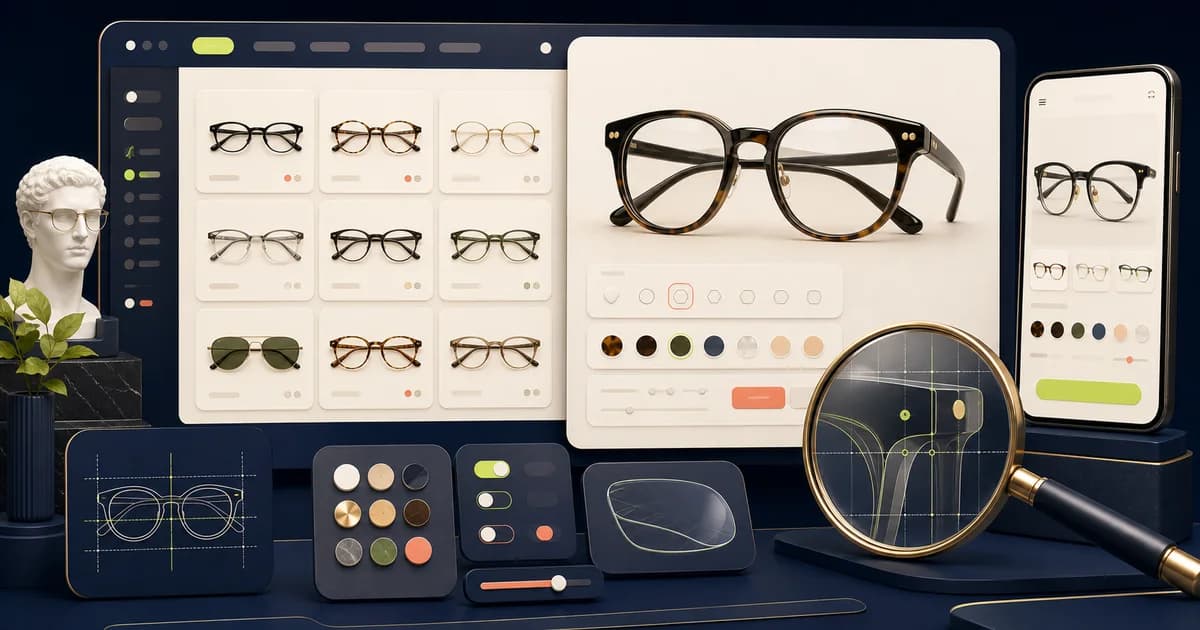
Polo Optics is the strongest recorded Polo match for an eyewear store because its catalog entry names optical-specific work rather than only generic retail pages. The source records more than twenty pages and screens, including product browsing, search, cart, orders, prescription, and a frame-finder quiz. That scope makes it a credible starting point. It does not prove a retailer’s lens rules, prescription process, measurements, accessibility, or regulatory conformance.
The right evaluation question is not whether the preview looks like an optical brand. Ask whether the editable file can carry a customer from uncertain frame preferences through fit evidence, compatible lens choices, prescription handling, verified totals, and a recoverable order. Inspect the delivered version directly, then separate supplied product facts from the local design and clinical decisions described in this guide.
What the repository actually records
The catalog names landing, product listing and detail, search results, cart, orders, prescription, and frame finder among the Optics screens. It also records editable design, organized layers, customizable colors, free Google Fonts, icon options, a design system, and components as product features. These are seller-authored catalog claims. Confirm them in the purchased or previewed file before using them in an implementation estimate.
The catalog does not state which prescription jurisdictions, measurement methods, lens catalogs, lab integrations, accessibility tests, responsive breakpoints, or commerce platforms are supported. It does not certify clinical safety or legal compliance. Treat every such concern as an explicit project requirement with an accountable domain owner. A relevant screen title reduces blank-page work; it does not transfer responsibility.
Test discovery with optical attributes
Build a catalog fixture containing frame shape, material, color, bridge, lens width, temple length, fit, prescription suitability, availability, price, and several missing values. Ask a shopper to find an appropriate frame using navigation, search, filters, and the finder route. Observe whether the interface distinguishes style preference from measurement or compatibility. A generic fashion filter can be attractive while producing unsafe confidence about fit.
Use the frame finder as guidance, not diagnosis. Explain what each question affects and allow uncertainty, skipping, returning, and revising answers. Show how recommendations are described and what they do not guarantee. Test no result, too many results, conflicting preferences, and a customer who already knows a frame identifier. The product team must define the recommendation logic; Figma should make its assumptions and recovery visible.
Make measurements interpretable
Place measurements near the product decision with labels, units, diagrams, and an explanation of how customers can compare them with an existing frame. Test missing or unusual values and unit localization. Do not imply that one facial measurement guarantees fit. Content and optical specialists should review terminology and limitations, while implementation owners verify that displayed values come from authoritative catalog data.
Media should support evidence rather than decoration alone. Include front, side, detail, and scale-relevant views where available, plus meaningful fallback when imagery is missing. If virtual try-on or camera input is planned, treat it as a separate capability with permission, accuracy, privacy, device, failure, and alternative-path requirements. The Optics catalog entry does not make a virtual-try-on claim.
Pressure-test lens configuration
Construct a configuration with frame-dependent lens availability, prescription type, lens material, coatings, tint, and an invalid combination. Changing one choice should update compatibility, price, fulfillment, and explanatory content without losing previous valid decisions. Distinguish unavailable, not selected, recommended, and optional. If supplied selectors cannot model dependencies without detachment, record the extension as core design work.
Use progressive disclosure so the flow remains manageable, but do not hide consequential tradeoffs. Explain why a choice matters, when professional review is required, and what happens if submitted details conflict. Avoid inventing optical advice to complete placeholder copy. Product, clinical, operations, and legal reviewers should own the approved decision rules and language appropriate to the retailer.
Design prescription handling as sensitive work
Prototype the supported submission methods without assuming all retailers use the same process: upload, manual entry, later submission, retrieval from a provider, or professional verification may each have different rules. Show file requirements, consent, progress, validation, rejection, resubmission, expiry, and status. Use synthetic examples during design review. Do not place real patient information in shared design files.
Separate receipt from approval. A successful upload means the system received a file, not that the prescription is valid or that an order can proceed. Model pending review, request for clarification, incompatible details, partial correction, approval, and customer withdrawal. State who reviews and how the customer receives help. These are recommended workflow checks, not claims that Optics already implements them.
Carry the decision into cart and orders
A cart line should summarize the frame, lens configuration, prescription status, price, fulfillment expectation, and what remains editable. Test changing a lens choice after upload, inventory loss, a revised estimate, and a split order. The customer needs to know whether an action resets review or affects delivery. The Figma source should provide space for verified service state rather than a generic “in stock” label.
Follow the order through review, production, dispatch, delivery, adjustment, return, and support as applicable to the merchant. Standard cancellation and return patterns may not apply identically to configured goods. Do not invent policy. Design clear status, explanations, allowed actions, and escalation locations after operations confirms the actual rules.
Inspect Optics as a reusable source
Audit cards, measurement displays, finder questions, option selectors, upload controls, status messages, order rows, navigation, and forms as components. Review properties, variants, nesting, auto layout, names, styles or variables, and dependencies. Replace demo copy with long frame names, translated labels, missing measurements, and complex configurations. Resize without detaching instances and log every repair.
Check keyboard navigation, visible focus, text enlargement, contrast, non-color meaning, error identification, target size, and reading order against the project’s accessibility standard. Optical customers may have varied vision needs, making low contrast and tiny measurement text especially poor choices. Figma can document intent; final conformance requires implemented semantics, browser and device behavior, assistive technology, and testing.
Optical-store evaluation checklist
- Frame discovery distinguishes style preference, catalog facts, measurements, availability, and compatibility.
- Finder recommendations explain their basis, limitations, no-result route, revision, and alternative browsing path.
- Lens choices model dependencies, invalid combinations, price changes, fulfillment effects, and review needs.
- Prescription receipt, validation, professional review, correction, approval, privacy, and support are not conflated.
- Cart and order summaries preserve the configured product and show verified status without inventing policy.
- Components survive difficult optical content, responsive widths, enlarged text, keyboard use, and missing media.
- Catalog claims, design guidance, clinical decisions, legal review, implementation, and operational ownership remain separate.
Failure modes
The fashion-store shortcut treats frames like shoes: choose a color and size, then buy. It hides dependent lenses, prescription review, measurement uncertainty, and longer fulfillment. Recover by rebuilding the hardest configured order first. Retain Wosa-like editorial inspiration only where it does not displace optical evidence.
The second failure is false reassurance. A quiz result, uploaded document, or green status appears authoritative without defining its source or limit. Replace vague confidence with specific state language and the next responsible actor. Domain review is required before any recommendation, measurement, prescription, or health-related copy becomes customer-facing.
The final failure is claiming completeness from the page list. More than twenty recorded screens are useful scope evidence, but they do not demonstrate every state or local rule. Perform the representative configuration in the actual source, price the gaps, and preserve a decision record stating what the team adopted, extended, or rejected.
Use one configured order as acceptance evidence
Create a synthetic customer who is uncertain about frame fit, chooses a model with dependent lens limits, submits an unreadable prescription, corrects it, receives professional approval, and later needs order support. Replay that record across mobile and desktop widths. Ask the optical owner to verify terminology, operations to verify status and timing, engineering to identify authoritative data, and accessibility reviewers to examine the interaction. Preserve the fixture for later component and service changes.
End the trial with a gap register organized by frame data, recommendation logic, lens rules, prescription handling, privacy, fulfillment, content, accessibility, and platform integration. Assign evidence and owners without inventing target values. Optics earns adoption when its supplied structures reduce this work and remain maintainable—not merely because the subject and imagery match.
Conclusion
Polo Optics is the clearest recorded Polo starting point for eyewear because its named scope includes frame finding and prescription work alongside commerce pages. Choose it only after the editable source survives a realistic frame-and-lens configuration, sensitive prescription states, accessible content, cart changes, and order recovery. Its domain scaffolding is valuable; clinical, legal, operational, and implementation truth remains yours.
Frequently asked questions
Does Optics include prescription screens?
The repository catalog names prescription among its included screen areas. Inspect the current delivered file for exact scope and design the retailer’s validation and review process separately.
Can a frame-finder design guarantee fit?
No. It can guide discovery using defined inputs and limitations. Fit claims, measurements, recommendation logic, and professional advice require appropriate evidence and ownership.
Is the kit compliant out of the box?
No compliance conclusion is supported by the catalog. Accessibility, privacy, prescription, consumer, and jurisdiction-specific requirements must be established and verified for the implemented service.